

Overview
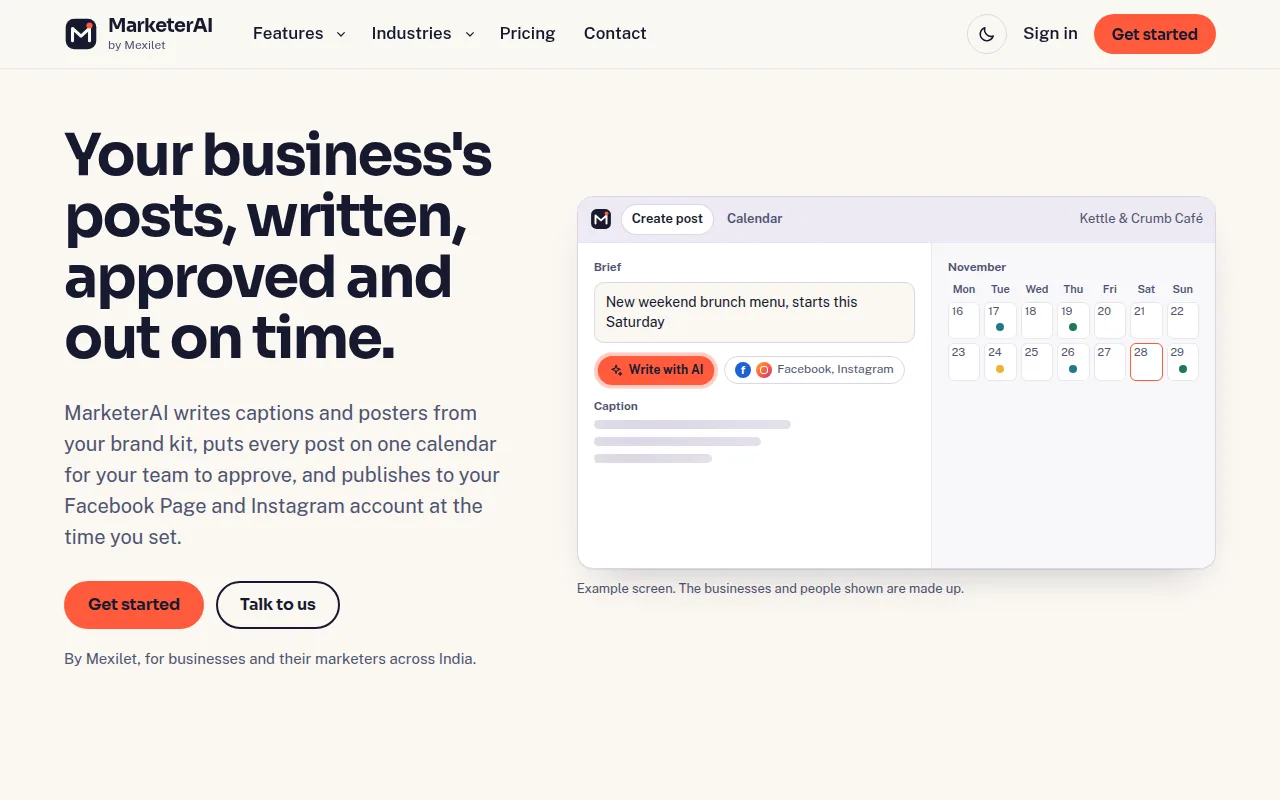
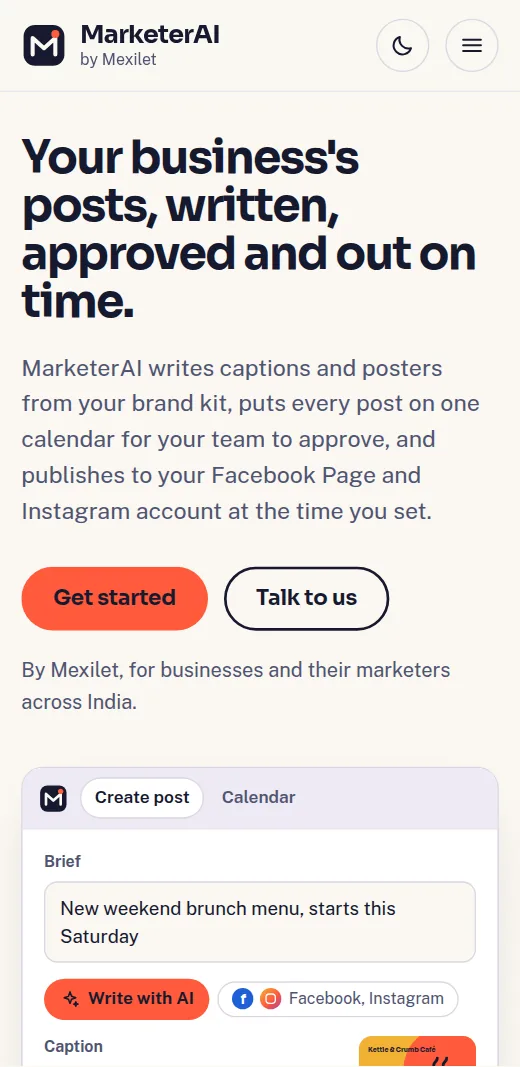
MarketerAI writes your captions and posters from your brand kit, puts every post on one calendar for your team to approve, and publishes to your Facebook Page and Instagram account at the time you set. Run it with your own team, run many clients from one login as an agency, or let Mexilet’s own marketers run it for you.
Create With AI
Captions, posters and a month of post ideas, all made from your brand kit: what you sell, who buys it, how you talk and the words you never use.
One Calendar
Drafts, posts waiting for approval, scheduled posts and published ones sit on the same calendar, so anyone can see what is going out this week.
A Clear Approval Step
A manager or the owner approves each post, or sends it back with a note. Nothing goes out that someone has not seen.
Facebook Page & Instagram
Connect through Facebook’s own login window and pick the Pages to use. We never see your Facebook password.
Team & Roles
Invite people by email and give each one a role. They see only your workspace and do only what their role allows.
For Agencies & Done-for-You
A separate workspace for each client, connect links for clients to connect their own Pages, or a Mexilet marketer who runs yours.
What this provesGenerative AI inside a real business workflow: captions and posters drawn from each brand’s own kit, with a human approval step before anything is published.
How a Post Moves
Every post follows the same path, so nothing goes out that someone has not seen, and nothing approved gets forgotten.
Brief
Type one line about what you want to say, or pick an idea from your monthly plan.
Draft
The AI writes the caption in your tone and language and can make a poster in your colours. You can edit anything.
Approval
A manager or the owner approves the post, or sends it back with a note. Then it sits on the calendar with its date, time and platforms.
Published
It goes out to Facebook and Instagram on time. If a platform refuses a post, you see why.
Your Brand Kit, Filled In Once
Every caption and poster starts from your brand kit, so posts sound like your business and not like everyone else’s.
Four Ways to Use It
Do It Yourself
For a business whose own team writes and posts: your own workspace, brand kit, AI allowance, calendar and team roles.
Team
For businesses with several people, Pages or branches: more people and connections, and one workspace per branch or brand under one login.
Done for You
A Mexilet marketer plans the month, writes and designs the posts, and sends them to you for approval. You see everything in your own calendar.
Agencies
A separate workspace for each client, your team assigned client by client, and each client sees only its own posts and platforms.
Prices depend on how you work, so we quote for what you need. Tell us about your business on marketerai.mexilet.com or write to info@mexilet.com with your business name and how many Pages and people you have.
Written for the Way Your Business Talks
Coming Next
Facebook Pages and Instagram professional accounts are the platforms MarketerAI publishes to today. LinkedIn, YouTube, Google Business Profile, X, Threads, Pinterest, Telegram and WhatsApp are being built next, and show as coming soon inside the app until they are ready.
Want a team to run your social media as a service, with reels and community management too? See our Social Media Management service.
Questions Businesses Ask
Does anything get posted without our say?
No. Each post waits for a manager or the owner to approve it. You can choose otherwise for your workspace, but approval is the default.
Do you need our Facebook password?
No. You sign in through Facebook’s own login window and choose which Pages to share. The access key Facebook gives us is encrypted before it is saved, and it is deleted when you disconnect.
Why is my Instagram account not showing up?
Instagram publishing works for professional accounts (business or creator) linked to a Facebook Page. Switch the account to professional, link it to your Page and connect again.
Someone else holds our Facebook login. Can they connect it?
Yes. Send them a connect link from the app. They open it, log in to Facebook and pick the Pages. The link works once and expires after 7 days.
Is there a free plan?
You can create an account and look around. We agree a plan with you before you start publishing for your business.